1:00 pm
Search every board, every day.
Beta.applyNchill is in active testing — expect rough edges, and check what it sends before you rely on it.
 applyNchillBeta
1:00 pm
Search every board, every day.
1:20 pm
Rewrite the résumé for each one.
1:50 pm
Six pages. The same details, typed again.
3:30 pm
And again.
5:00 pm
Somewhere around thirty, you stop reading the questions.
7:00 pm
Fifty applications. The whole afternoon, gone.
rewind
Same fifty. Same afternoon. With ApplyNChill.
1:00 pm
Pick your roles once. The queue fills itself.
1:20 pm
It finds, matches and tailors while you do something else.
2:30 pm
It fills the form, then stops and asks you.
3:10 pm
You stay the one who says send.
4:40 pm
The same hours, still yours.
7:00 pm
Fifty applied. On Hunt, fifty a day.
and
Student or years of experience, the forms are the same.
Character clothing by Elvaerwyn and Mindfront, via the MakeHuman community, used underCC BY.








the ledger
What went out, where it went, and what came of it — newest first.
six stages
The first five run in order, each consuming what the one before it produced. The sixth runs alongside them. Nothing is skipped, and any of them can be stopped mid-run without losing the work already done.
Sweeps the ATS boards your target roles actually live on, on a rolling window.
Reads the full description behind each posting.
Ranks them against your profile. Gates remove, never demote.
Rewrites your résumé for the one role in front of it.
Fills and submits the real form, in your own browser.
Verifies recruiter addresses and sends a small, paced batch from your own Gmail — never without you saying so.
human in the loop
The straightforward way to build this is a headless browser on a server. That is not what happens here, and the difference is the reason the applications land at all.
the usual way
One headless Chrome, filling forms for every user out of one address, holding your credentials so that it can sign in as you. The systems that matter check for exactly that, and an application that was challenged is not an application. When it meets a question nobody anticipated it has two options, because there is nobody there: invent an answer, or give up.
here
The extension works inside the profile you are signed into, on a single tab you can watch, at a pace a person could plausibly work at. There is nothing to detect because nothing is pretending — your browser, your session, your connection. And when it meets that question, it has a third option: ask.
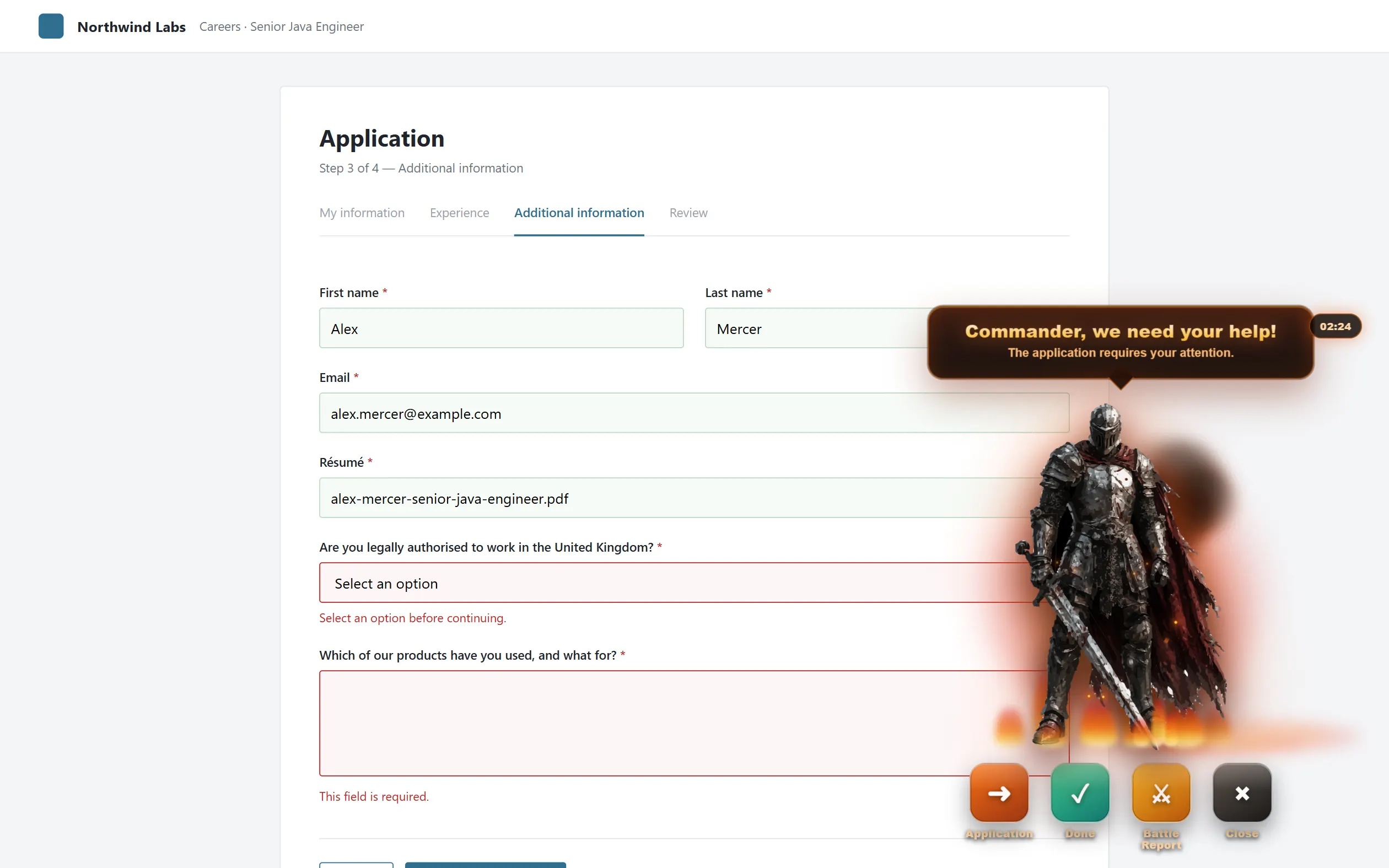
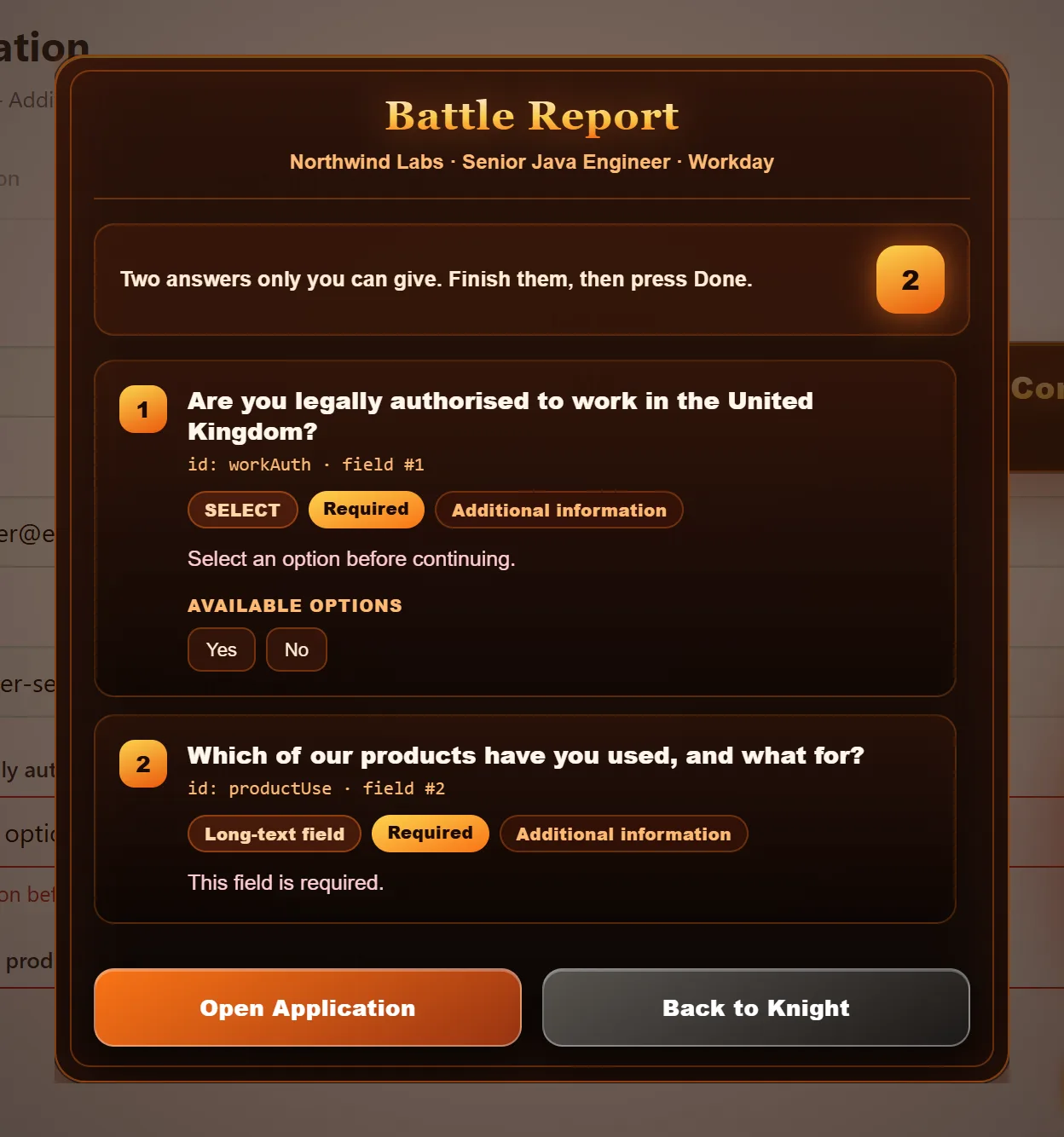
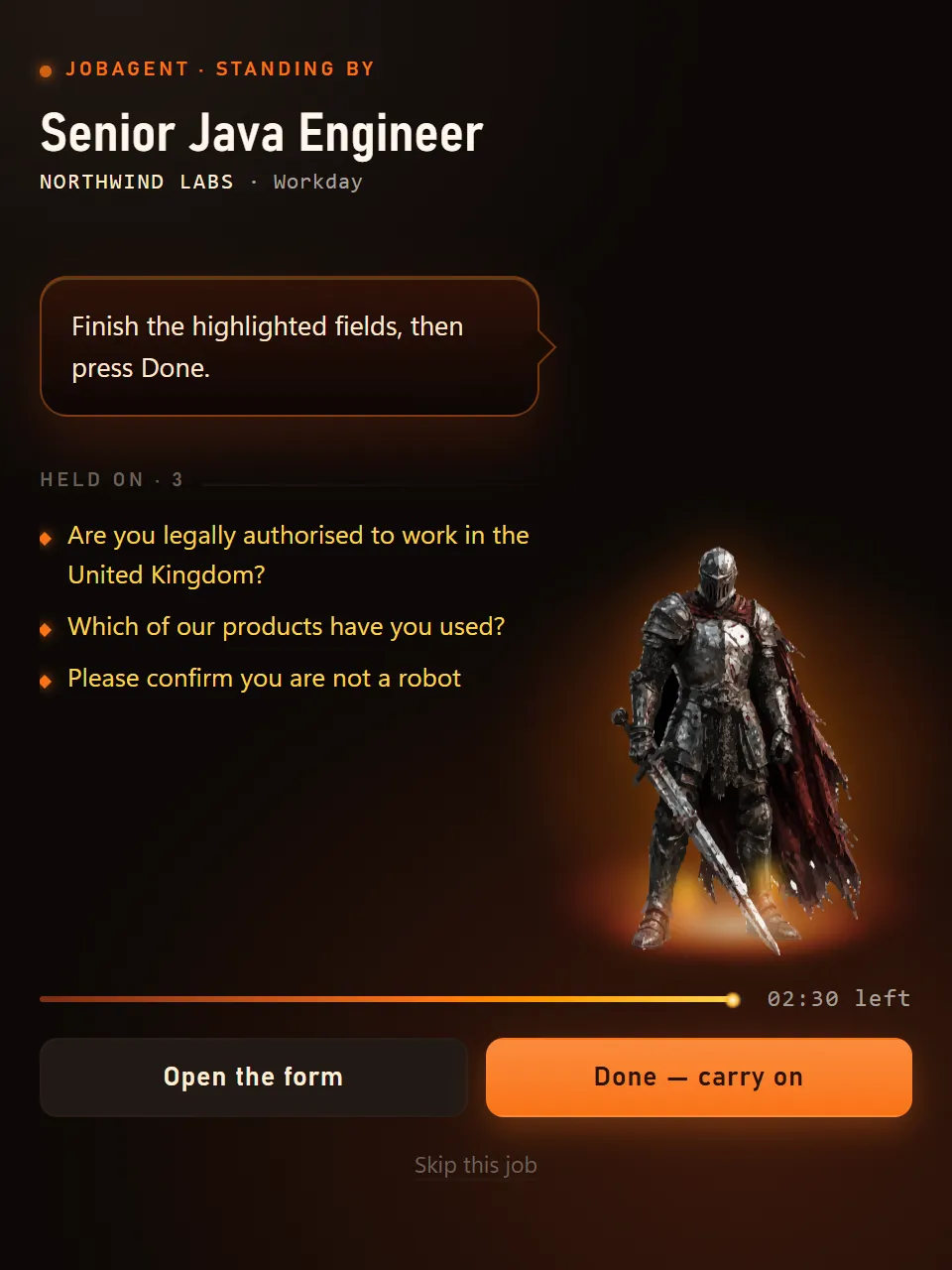
An application submitted with an invented answer is worse than one that was never sent, so it fills none of these. It holds the tab open, hands you three minutes, and carries on the moment you are done.
Brings the tab holding the form forward, at what is being asked. It submits nothing.
You have finished with it. The run resumes on the same job, at the step it stopped on, within a beat.
Exactly what it is stuck on, field by field, in the words the employer used.
Dismisses the panel only. The run is still waiting, and the clock is still going.
the long version
The gateway, the ranking, what is encrypted, what is exposed and what is watching — written out of the source, so it can be checked.
setup
None of them take longer than a few minutes, and each has a guide that assumes nothing.
The whole of it — what is required, what is optional, and what each step actually costs — is on one page.
Add it from the Chrome Web Store, pin it, and sign in from its side panel. It is the piece that actually fills the forms, so it runs in your browser and nowhere else.
02Enrichment, matching and résumé tailoring all run on your key, not ours. Free-tier keys work; the guide says exactly what each stage spends.
03Upload a résumé and applyNchill parses it into the profile the forms are filled from. Correct it once and every application after it is right.
before you start
It is the half of applyNchill that touches employers. Everything else is preparation.
applyNchill needs the Chrome extension. The server finds the jobs, ranks them and writes the résumé, but it never touches an employer's form — every application is filled and submitted by the extension, in your own signed-in browser, on your own machine. Without it the queue fills up and nothing moves.
Live on the Chrome Web Store
Add it to Chrome — one click, like any other extension. It updates itself from then on.
Read the install guide — it covers pinning it, and signing in from the side panel, which is a separate step from signing in here.
questions
Open one and the answer drops down. If yours is not here, support has the rest.
It finds open roles on employers’ own career boards, ranks them against your profile, rewrites your résumé for the posting, and fills in the application form in your own browser. It can also send a small, paced batch of emails to recruiters from your own mailbox.
In six stages: fetch, enrich, match, tailor, apply and cold email. The servers do the finding, reading and ranking. You approve what gets queued, and the Chrome extension does the applying. Each stage is written up on its own page, and how it works shows the whole system.
The extension opens the posting in your browser, where you are already signed in. It fills the form from your profile, attaches the résumé written for that posting, and submits it. If a question comes up that your profile cannot answer, it stops and asks you instead of guessing. Your answer is remembered for the next form that asks the same thing.
No. Applications are only ever submitted by the extension, from your own open browser. Our servers never hold an employer login, so they cannot apply on your behalf. That is also why each application arrives as an ordinary one from you.
Workday, Greenhouse, Lever, Oracle Cloud, SmartRecruiters, iCIMS, Naukri, Indeed and Adzuna. A general form engine handles the others. It needs Chrome on a laptop or desktop, and does not run on a phone.
Yes, while it is in beta. The free plan gives you 12 applications and 5 recruiter emails a day across 3 target roles. It runs on your own Mistral key, and Mistral’s free tier is enough. Two paid 30-day passes are planned: Apply at ₹399 (25 applications and 30 emails a day) and Hunt at ₹599 (50 of each, with the AI model and 20 tailored résumés included). Each is a one-time payment that never renews on its own.
Only if you have not used it. Within 7 days of paying, a pass that has sent no application, sent no recruiter email and tailored no résumé is refunded in full, with no reason needed. Once a pass has been used it is not refunded. Mistakes on our side, such as a double charge, are always refunded. The details are in the refund policy.
Because that is roughly how many genuinely suitable new postings appear for one person in a day. A tool that promises hundreds a day is counting submissions, not good ones. The limits will rise as the number of jobs found grows.
Your profile and résumé are stored so the forms can be filled from them. Your Mistral key is encrypted on the server, and no employer password is ever stored. You can download everything as a ZIP or delete your account from your settings at any time. The privacy policy lists exactly what is kept and for how long.
Start with support, which covers the problems that actually come up and how to fix most of them in a minute. If that does not help, write to the team, and a person will answer.